ProxCenter v1.4.8 Release
It introduces vDC storage policies and tenant VLAN networks, a unified Task Center, and warm-migration nodes that ProxCenter can now prepare automatically.

ProxCenter v1.4.8 is a feature release focused on tenant self-service, centralized operations, safer migrations, and deeper infrastructure visibility. It introduces vDC storage policies and tenant VLAN networks, a unified Task Center, and warm-migration nodes that ProxCenter can now prepare automatically.
🏢 Multi-tenant and vDC
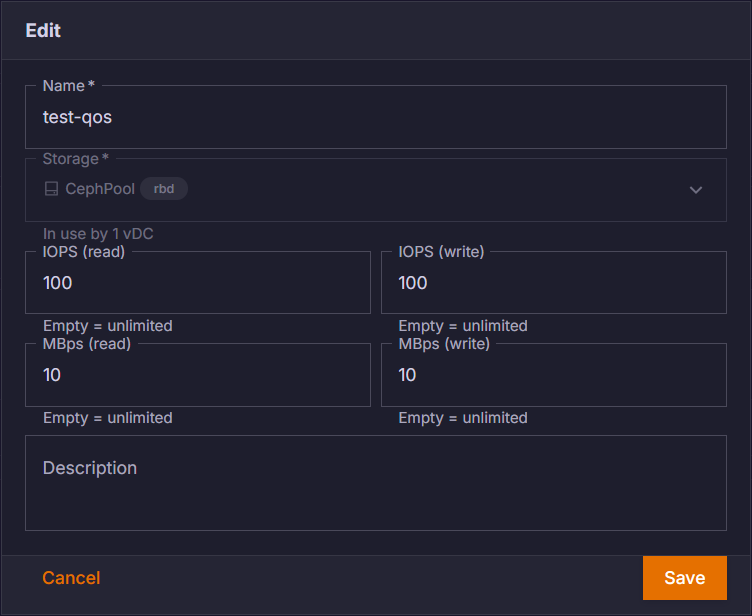
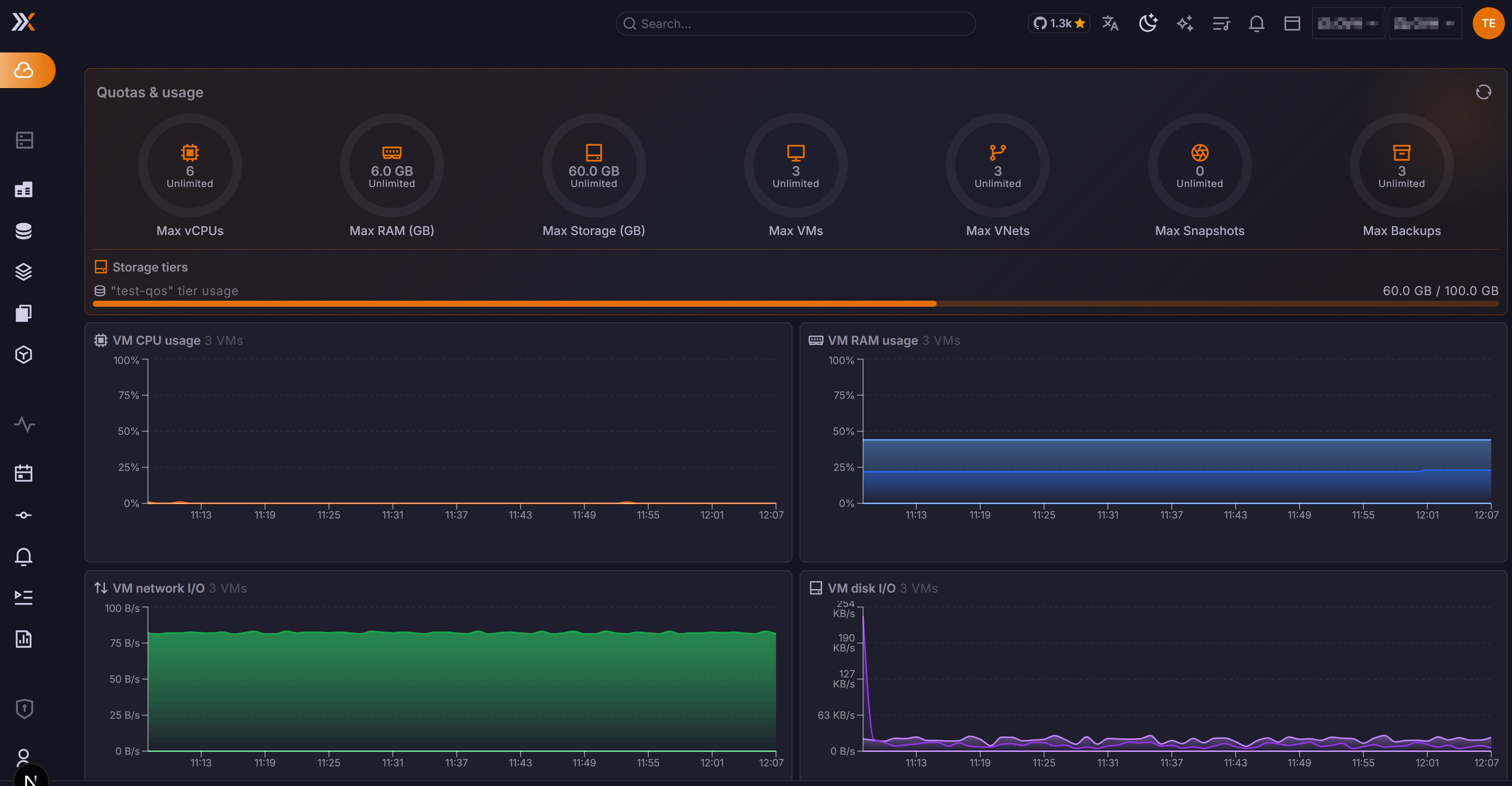
Storage policies
Providers can now define storage policies with QoS limits and per-tier quotas, assign them to virtual datacenters, and automatically apply them to disks created by tenants.
Tenant VLAN networks
Tenants can create their own VLAN-backed networks within provider-managed ranges. Optional VMID ranges are now also available to vDC tenants, extending self-service while keeping resource allocation under provider control.
📋 Task Center
Every job in one place
The new Task Center provides a consistent view of operational jobs across ProxCenter. Migrations are now visible and cancellable, logs and available actions adapt to each job type, and recovery plan executions are clearly identified as Site Recovery tasks.
The ProxCenter tab in the tasks bar now carries the same jobs across the complete history, making long-running and completed operations easier to follow.
🚚 Migration
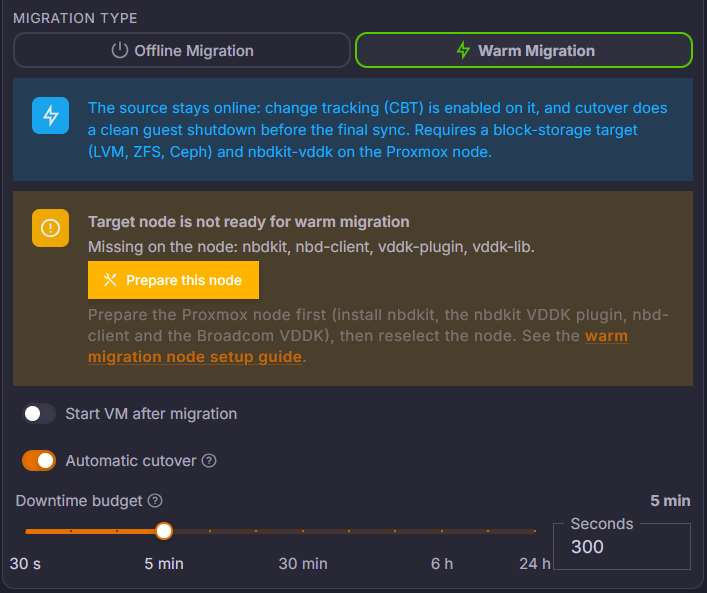
ProxCenter prepares the warm-migration node
Since Broadcom closed the public VDDK download, ProxCenter can now prepare a warm-migration node automatically instead of requiring the operator to assemble it manually.
More control and safer recovery
- Operator-controlled cutover with a configurable downtime budget
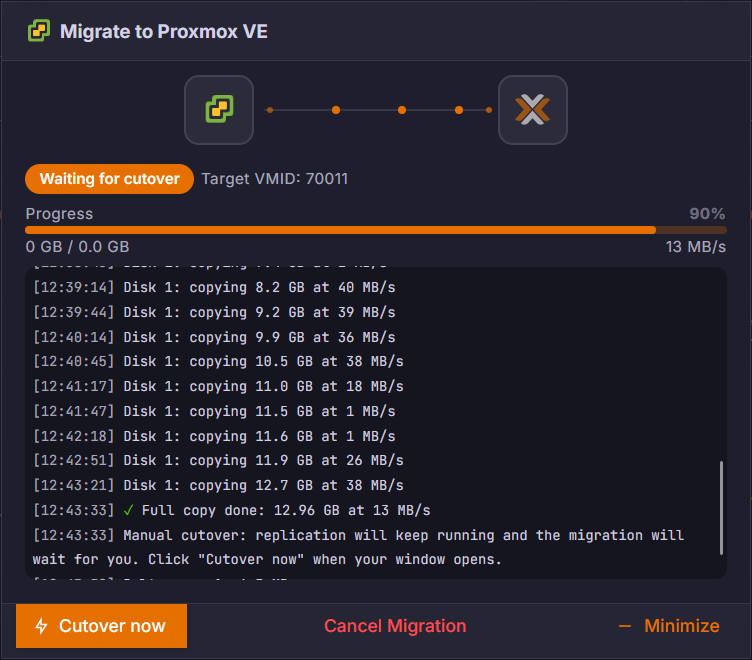
- Up to 30 minutes for a guest to shut down, with an optional hard power-off if it refuses
- virt-v2v no longer prompts for the root filesystem, which can also be selected in advance
- A failed create no longer destroys an existing VM using the requested VMID
- Slow storage discovery no longer clears the selected target storage
- VMID availability is checked against the correct target connection
🛟 Site Recovery
- Powered-off VMs can now be replicated, including through tag-based protection jobs
- Guests whose tags no longer match move to an explicit no match state instead of repeatedly failing
- The boot screenshot delay is configurable from 5 to 600 seconds during test failovers
- A DR test can optionally keep network interfaces connected
- New alerts cover replication RPO and Ceph OSD latency, with hysteresis and recovery notifications when the condition clears
🖥️ Monitoring and inventory
The node view now exposes SMART attributes, ZFS pool health, scrub information and the complete vdev tree. ProxCenter also reads hardware temperatures directly from the Linux hwmon tree and adds a dedicated ZFS ARC dashboard widget.
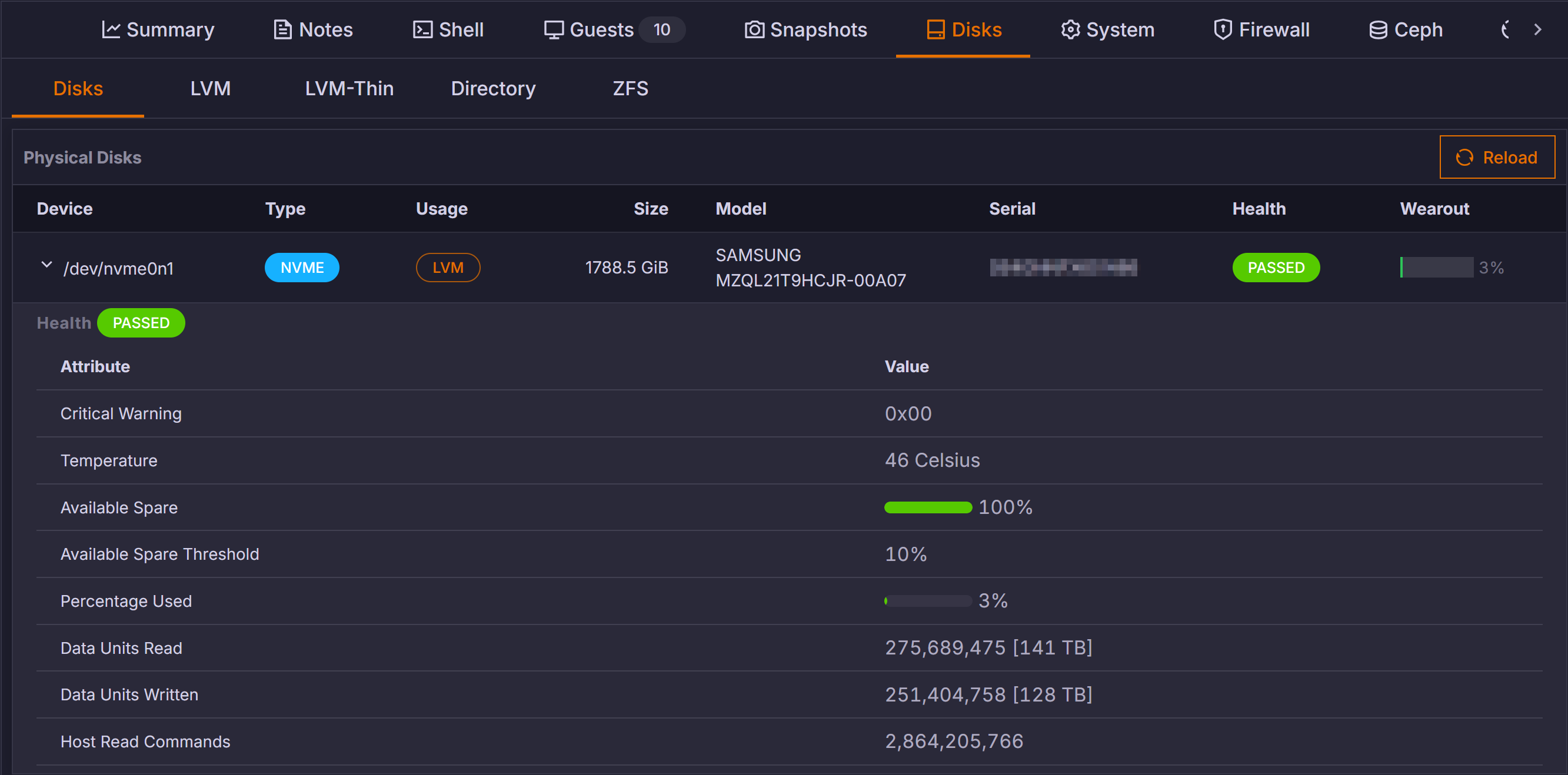
Disk formats are reported accurately, Cloud-Init drives are identified clearly, and slow RAM hotplug operations no longer produce false failure messages.
✨ Also in this release
| Area | What's new |
|---|---|
| 🔐 Access control | Community super-admin assignment restored; pool- and tag-scoped users can create guests |
| 🔑 API tokens | Creator provenance, scope auditing, offboarding and permanent deletion |
| 🛡️ Security | Alert creation and upload progress routes protected; forwarded IP handling hardened; deepmerge-ts updated for CVE-2026-40345 |
| 💾 Backups | Pool-based job selection, corrected PBS token permissions and PBS-by-IP support on Node 26 |
| 🎨 Interface | Dashboard widgets keep their position; appearance preferences are stored per user and tenant; light branding colours remain readable |
| 🧩 Dashboard | New theme-logo widget and dedicated ZFS ARC visibility |
⬆️ Upgrading
Four database migrations are included and run automatically at first boot under an advisory lock. They add user appearance preferences, API-token creator provenance, vDC VLAN support and vDC storage policies.
Enterprise
Re-run the installer once instead of using only docker compose pull. The release adds six Compose settings, including the GHCR_TOKEN required to expose the new Prepare the node action for warm migration.
curl -fsSL https://proxcenter.io/install/enterprise | sudo bash -s -- --token YOUR_TOKEN
The installer preserves existing secrets, customised URLs, the license key and application data before pulling and restarting the services. If the installation is pinned to a specific version, pass --version v1.4.8 again.
Community
Community images remain public and can be updated normally:
docker compose pull && docker compose up -d
Full instructions are available in the ProxCenter update guide.
Thank you to everyone who contributed feedback, testing and issue reports for this release.